Nickname Profile Picture Ideas That Work at Any Size
A good nickname profile picture gives your online name a visual cue without becoming a blur at thumbnail size. Here are three simple approaches, a quick test, and a few mistakes to avoid.
Quick answer: A good nickname profile picture uses one recognizable shape, a limited color palette, and enough empty space to survive a small circular crop. Design the icon first, then check it at the size people will actually see. Your nickname can appear in a banner or profile bio; it does not have to be squeezed into the avatar.
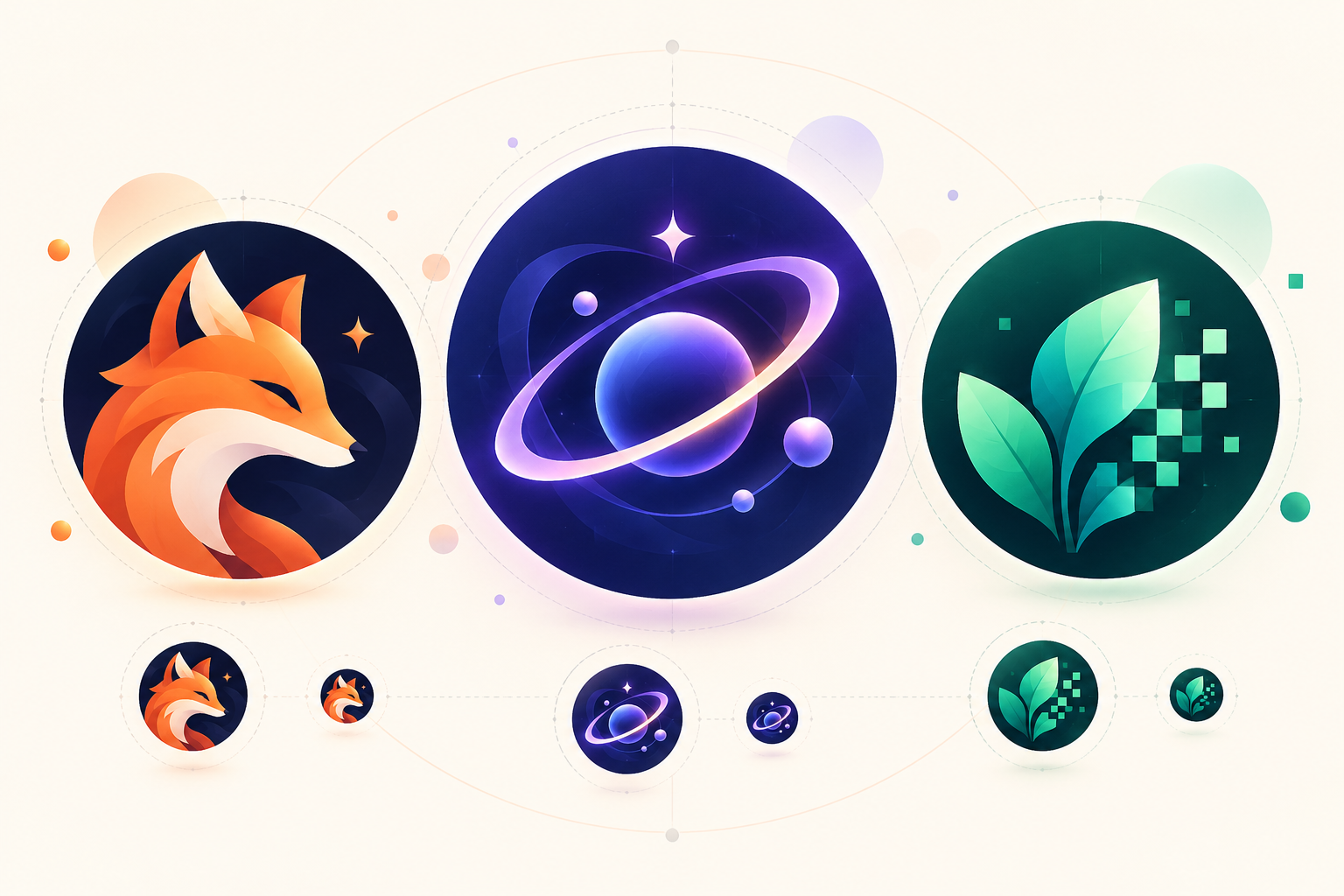
Think about a friend scrolling through a chat list or a game lobby. They might see your picture as a tiny circle beside your name. An elaborate illustration can look great at full size but disappear in that setting. The best avatar is the one someone can identify twice: once on your full profile and again as a thumbnail.
Start with the nickname, then pick one visual cue
If you already have a name, underline the word or feeling that makes it memorable. A name such as NeonFox suggests an animal silhouette and an energetic color. QuietOrbit suggests a simple ring or planet. MossByte might combine a leaf with a small pixel shape. These are fictional examples, not promises that those handles are available.
If you need a starting point, try the Nickname Generator and shortlist a few names you can say aloud and recognize quickly. Check availability and each platform's naming rules before settling on one. Then choose one element to represent it visually. You do not need to draw every word in the name.
Three nickname profile picture ideas
1. A bold initial or two
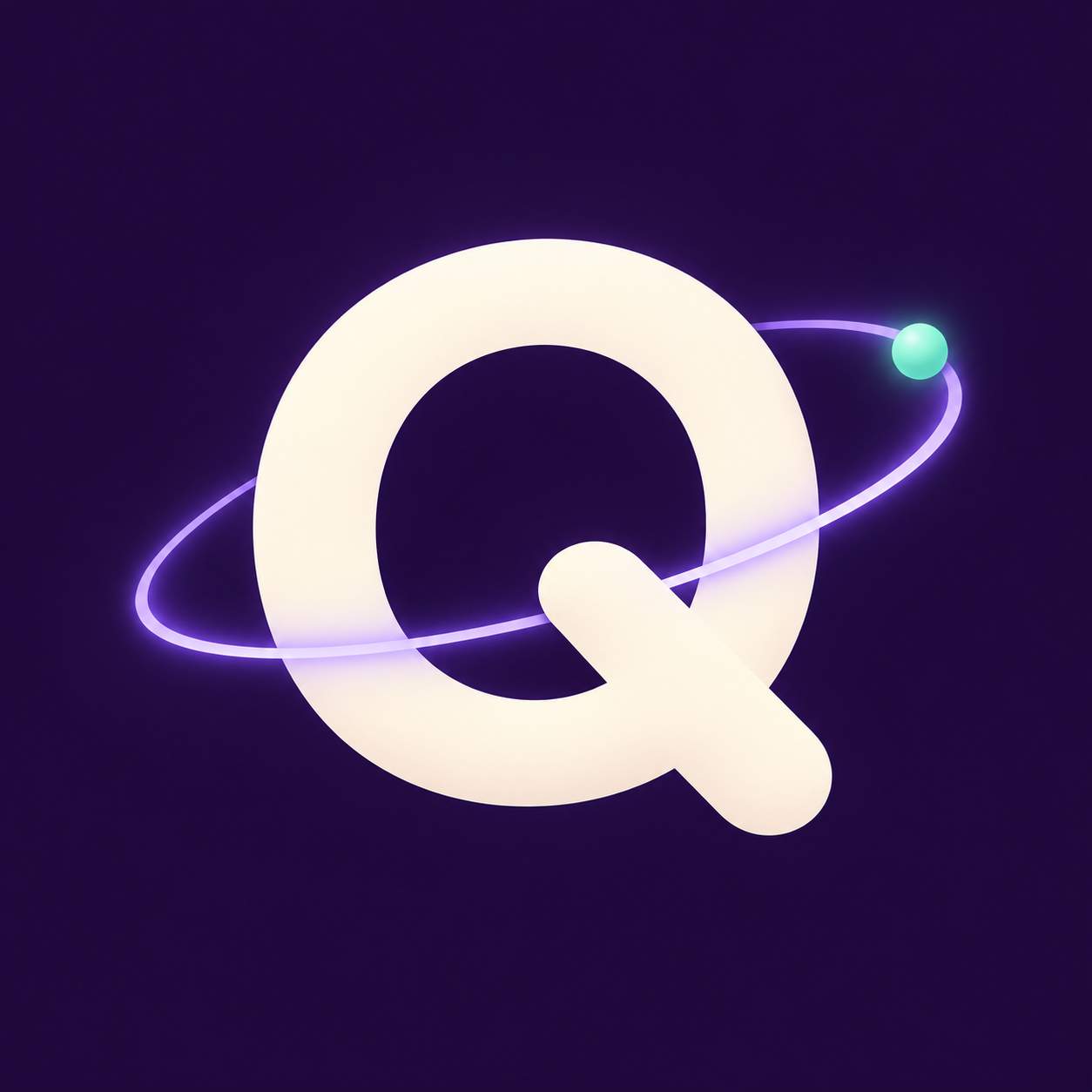
A monogram is useful when your nickname is the main attraction. Put one or two large letters on a solid background. Avoid a decorative font with hairline strokes; those details often vanish when the image shrinks. Try a dark background and light letters, then reverse the colors and see which version is easier to recognize.
Make a similar avatar in MockoFun
Prompt: Use case: editorial example image for a blog post about nickname profile pictures. Create a premium square 1:1 avatar graphic for the fictional nickname QuietOrbit: one large, exceptionally clear uppercase letter Q in a bold rounded geometric sans-serif style, pale ivory on deep midnight violet. A single thin luminous lavender orbital ring curves around the Q, secondary to the letter, with one tiny bright mint planet dot. Keep the entire mark centered inside an invisible circular safe area with generous margins for profile-picture cropping. Flat vector-like design, crisp contours, restrained palette, subtle polished depth, no background scene. Must still read as a Q at 48 pixels. No other words, letters, numbers, watermark, logo, frame, mockup, UI, or decorative clutter.
For example, a QuietOrbit account could use a clear Q with a small orbit accent. Keep the accent secondary. If the letter and ornament compete, remove the ornament.
2. One symbol from the name
An animal, leaf, star, flame, or geometric mark can work without any text. Draw a simple outline or silhouette and give it room inside the circle. A fox head for NeonFox needs recognizable ears and muzzle more than fur texture. An orbit for QuietOrbit needs one distinct ring more than a miniature galaxy.
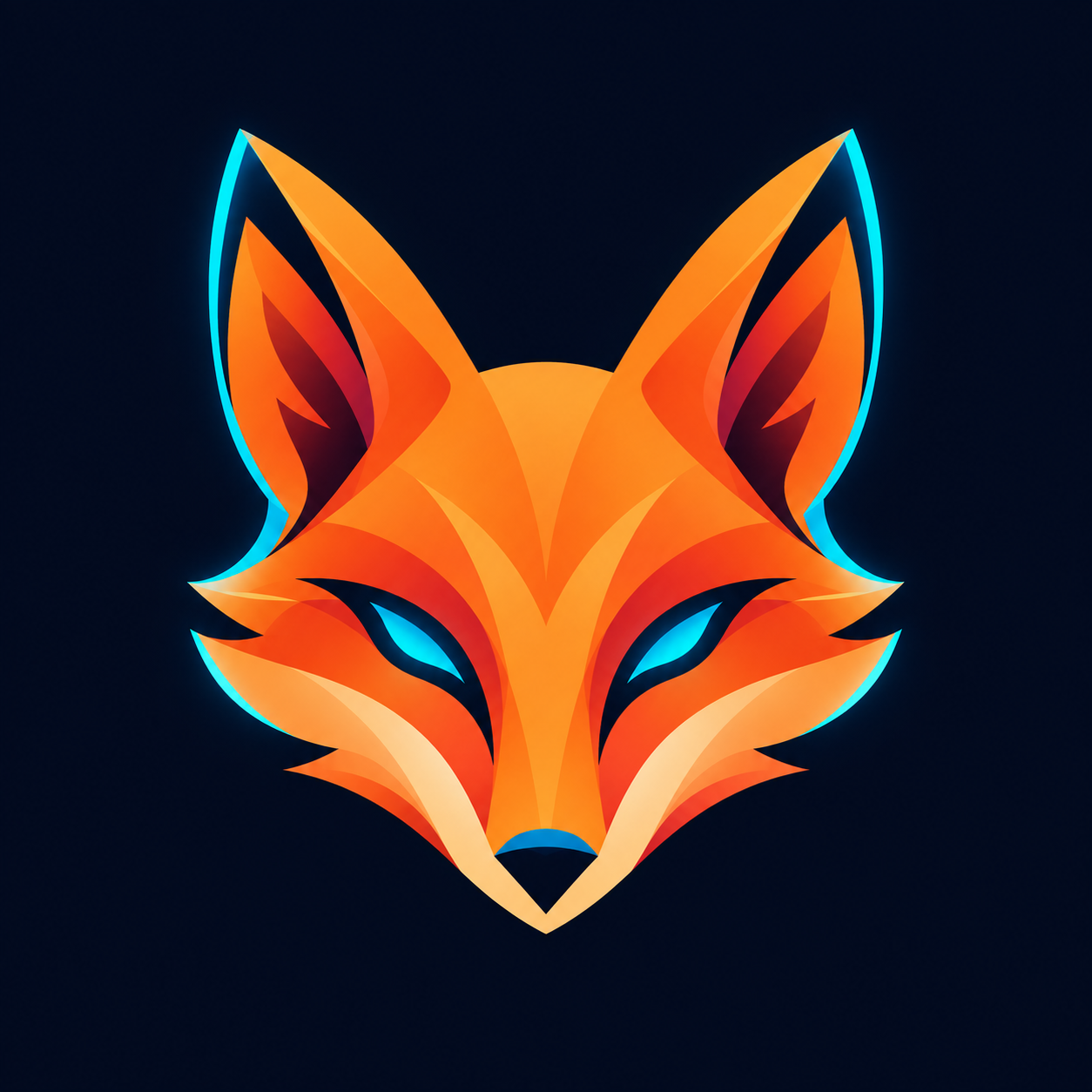
Make a similar avatar in MockoFun
Prompt: Use case: editorial example image for a blog post about nickname profile pictures. Create a premium square 1:1 avatar graphic illustrating the fictional nickname NeonFox as ONE SYMBOL from a name, with no text. Center a bold, instantly recognizable fox-head silhouette with tall ears and simple pointed muzzle, built from clean geometric orange and coral shapes with a restrained electric cyan edge highlight on a very dark navy background. The fox face is a single strong graphic mark, not a realistic animal, not a character portrait. Keep ears and muzzle well within a generous invisible circular safe area so it survives round profile cropping and is recognizable at 48 pixels. Contemporary polished vector-like design, slight dimensionality, high contrast, strong symmetry, minimal texture, lots of breathing room. No words, letters, numbers, watermark, logo, frame, mockup, UI, body, landscape, or decorative clutter.
A symbol is especially useful if the same nickname appears on several services with different avatar sizes. Keep the main shape consistent even if you change the background color.
3. A small mascot portrait
If you want a character, focus on the face and one identifying feature. Large eyes, a distinctive hat, or an unusual silhouette can carry the design. A full-body character with a detailed background will be harder to identify as a tiny profile image.
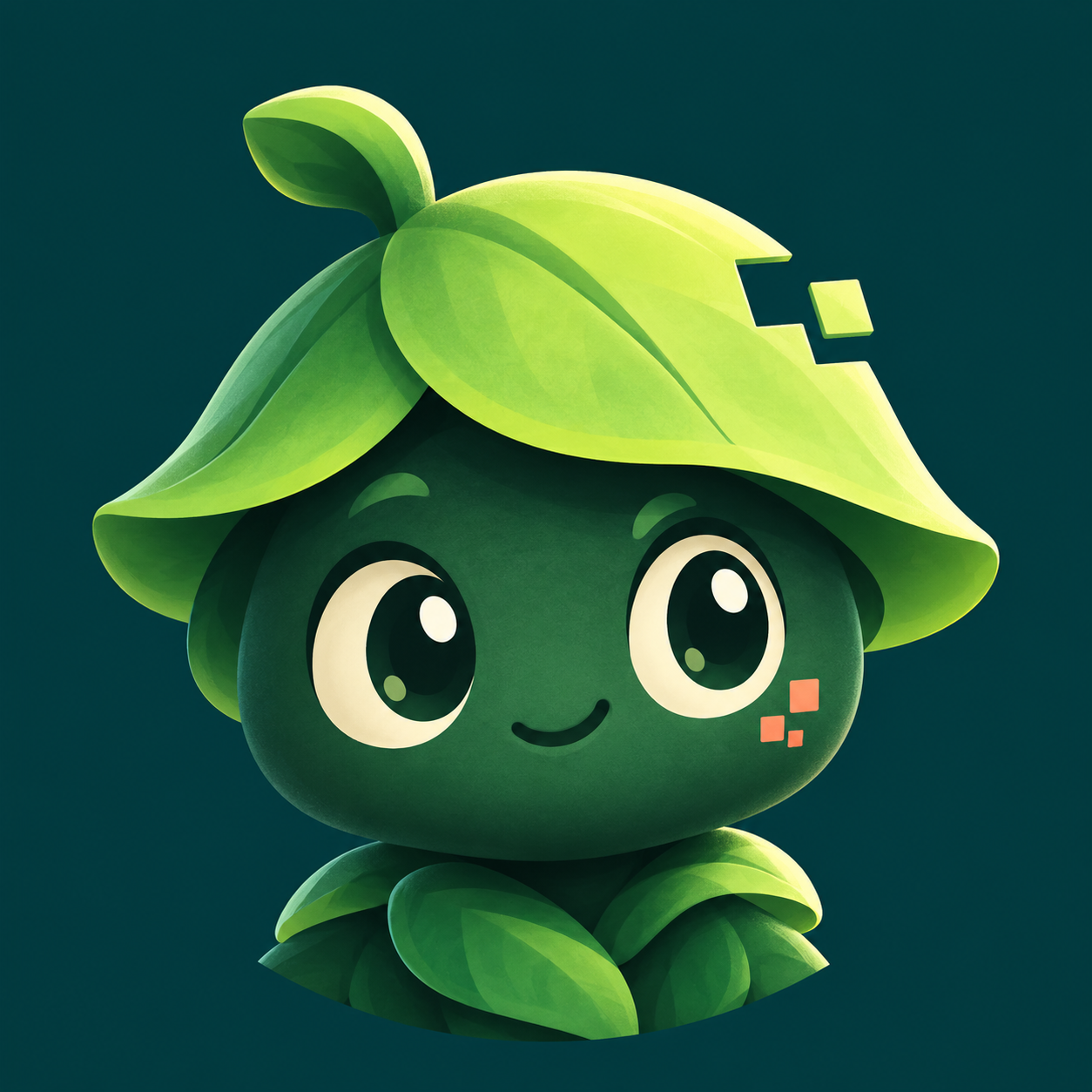
Make a similar avatar in MockoFun
Prompt: Use case: editorial example image for a blog post about nickname profile pictures. Create a premium square 1:1 avatar graphic illustrating a SMALL MASCOT PORTRAIT for the fictional nickname MossByte. Show an original friendly tiny forest-tech mascot from the shoulders up only: rounded dark green face, two large expressive cream-colored eyes, a distinctive bright lime leaf cap with one small square pixel notch, and a subtle pixel-shaped cheek highlight. No human likeness. Center face and cap entirely within a generous invisible circular safe area for round profile cropping. Strong simple silhouette, clean thick shapes, minimal detail that reads clearly at 48 pixels. Palette of deep forest teal, moss green, mint, cream, with a restrained warm coral accent, harmonizing with a modern set of nickname avatar examples. Soft polished vector-like illustration with slight dimensional depth on a solid deep teal background. No full body, scenery, text, letters, numbers, watermark, logo, frame, mockup, UI, or decorative clutter.
Use artwork you created or have permission to use. If you would rather not use your own photo, an original illustrated mascot can give the account personality without showing your face. A pseudonym and avatar alone do not guarantee anonymity, though: other public profile details may still connect the account to you.
Make the circle crop work
Start on a square canvas, but design for the circular crop many profiles use. Keep the important parts away from the corners. Center the eyes, initial, or symbol within an imaginary inner circle and leave a margin around it.
- Create a square working document with your main shape on its own layer.
- Place a temporary circle guide over the canvas to check what could be cropped.
- Zoom out until the avatar is about the size of a small chat icon.
- Remove details you can no longer see clearly.
- Export the final square image, then preview it inside the destination profile before using it everywhere.
The exact pixel dimensions and file format depend on the service you use, so check its current upload requirements. Save an editable version as well as the exported image. That way you can change a color or fix the crop later without redrawing the avatar.
Which editor should you use?
A simple monogram may need only text, a shape, and an export button. A mascot built from layered artwork may need stronger selection and layer tools. If you are choosing an editor for an avatar or an existing PSD template, PSDDude's comparison of online photoshop alternatives gives you a shortlist of browser-based options. Test one small avatar from start to finish before deciding which tool fits your file and workflow.
If you specifically want the nickname itself to curve around a badge, our gamer name logo guide shows that style. For a tiny profile picture, consider using the badge's central symbol as the avatar and keeping the full wordmark for a larger banner.
A five-minute recognition test
Make three versions of the same avatar and put them side by side at a small size. Change only one thing between versions, such as color, stroke thickness, or crop. Ask someone which one they can recognize quickest without enlarging it. If you cannot tell the versions apart at thumbnail size, the detail you changed probably does not matter much.
Also check the image on a light and a dark background. A pale outline that looks good on a dark design canvas may disappear in a bright profile page. If your chosen platform adds a border or masks the picture, inspect the uploaded result rather than relying only on your editor preview.
Frequently asked questions
Should my nickname appear inside my profile picture?
Only if it stays readable at the smallest size where the picture appears. Often, a strong initial or symbol works better because the full nickname is already displayed next to the avatar.
Do I need a different avatar for every platform?
Usually you can keep the same central mark and adjust the crop or background for each platform. Check the actual profile preview because avatar masks and display sizes vary.
Can a nickname and avatar keep me anonymous?
They can help you avoid showing your real name or face, but they do not guarantee anonymity. Avoid putting personal details in the nickname or image, and review the other information visible on your profile. Our guide to anonymous nicknames covers the naming side in more detail.
Keep it simple: Choose a name you like, give it one strong visual cue, and test the result as a tiny circle. A clear avatar and a memorable nickname do more together than a crowded design with every idea squeezed into it.

About the Author: John Negoita
John is a web developer, avid gamer, and the founder of Nickname-Generator.net. When he isn't writing code or researching the latest internet naming trends for the blog, you can usually find him exploring massive digital worlds or theory-crafting in RPGs. Read more about John on his official author page